
Creating accessible PDFs can be challenging, but you can use alternative methods to create and identify accessible PDFs beyond revising with Adobe Acrobat. Determine the most appropriate path to PDF accessibility using this decision tree.
How to use the decision tree
Open the decision tree to access an interactive version that allows you to navigate throughout the tree. Start by identifying how your document was created, then follow the path that matches your workflow.
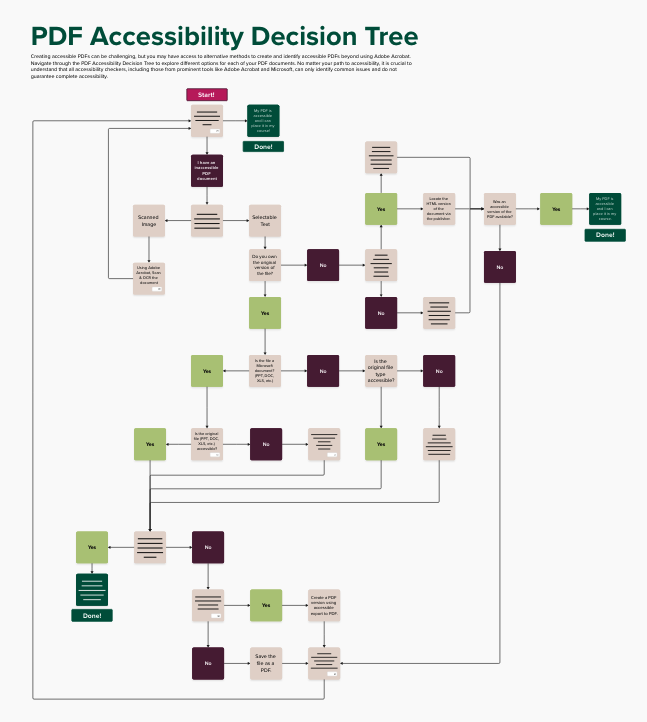
Depending on your institution’s tools and personal workflow, you may follow different paths through the tree. No matter your path to accessibility, keep in mind that all accessibility checkers, including those from prominent tools like Adobe Acrobat and Microsoft, can only identify common issues and do not guarantee complete accessibility.